See where customers wait, teams are overloaded and AI hands off
QualiBot provides operational reporting across conversations, agents, teams, inboxes, labels, SLA, CSAT, bots and Brain.
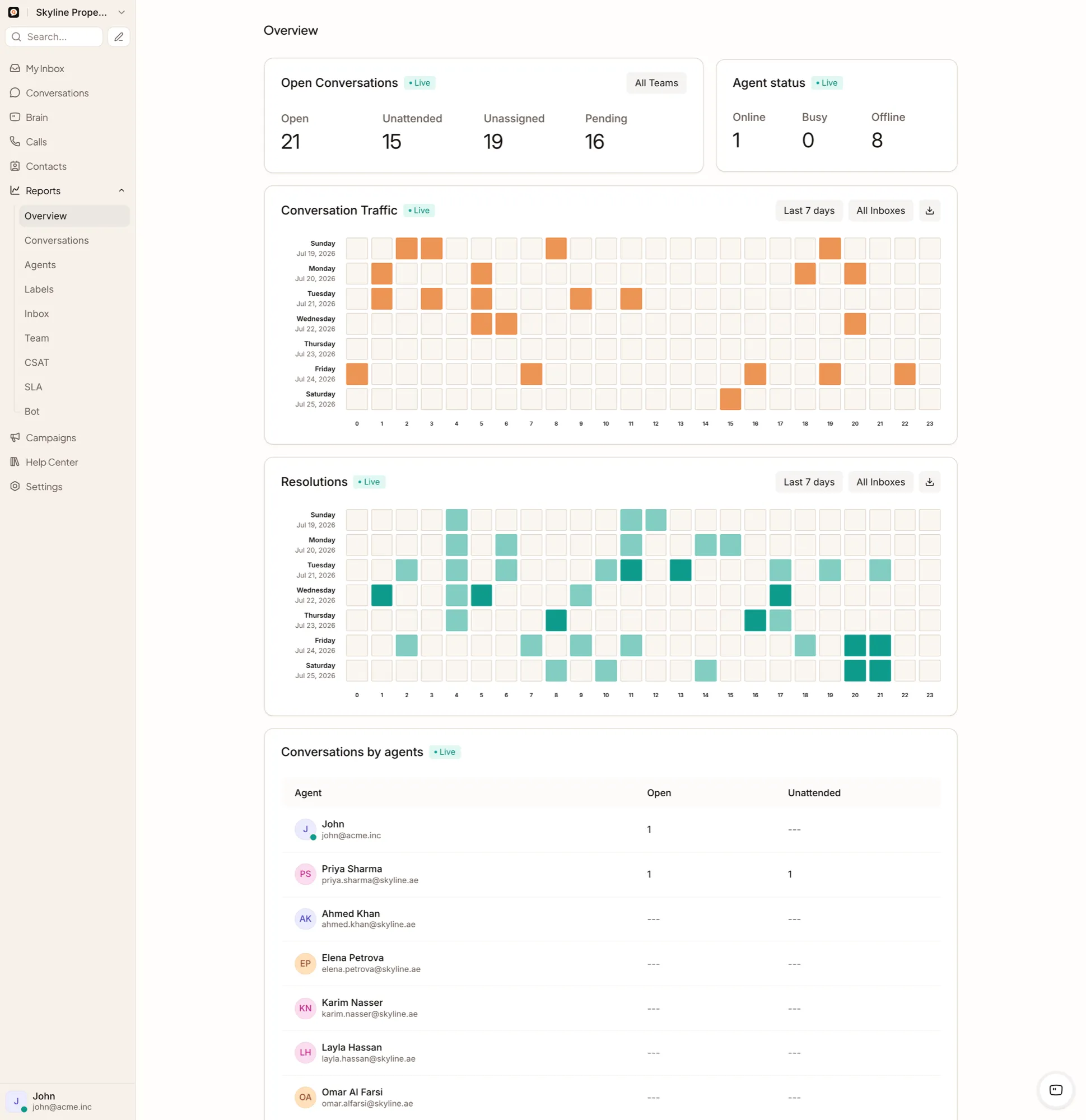
Five areas, one operational picture
Every report reads from the same conversation and team activity, so the numbers stay connected across areas.
Conversation reporting
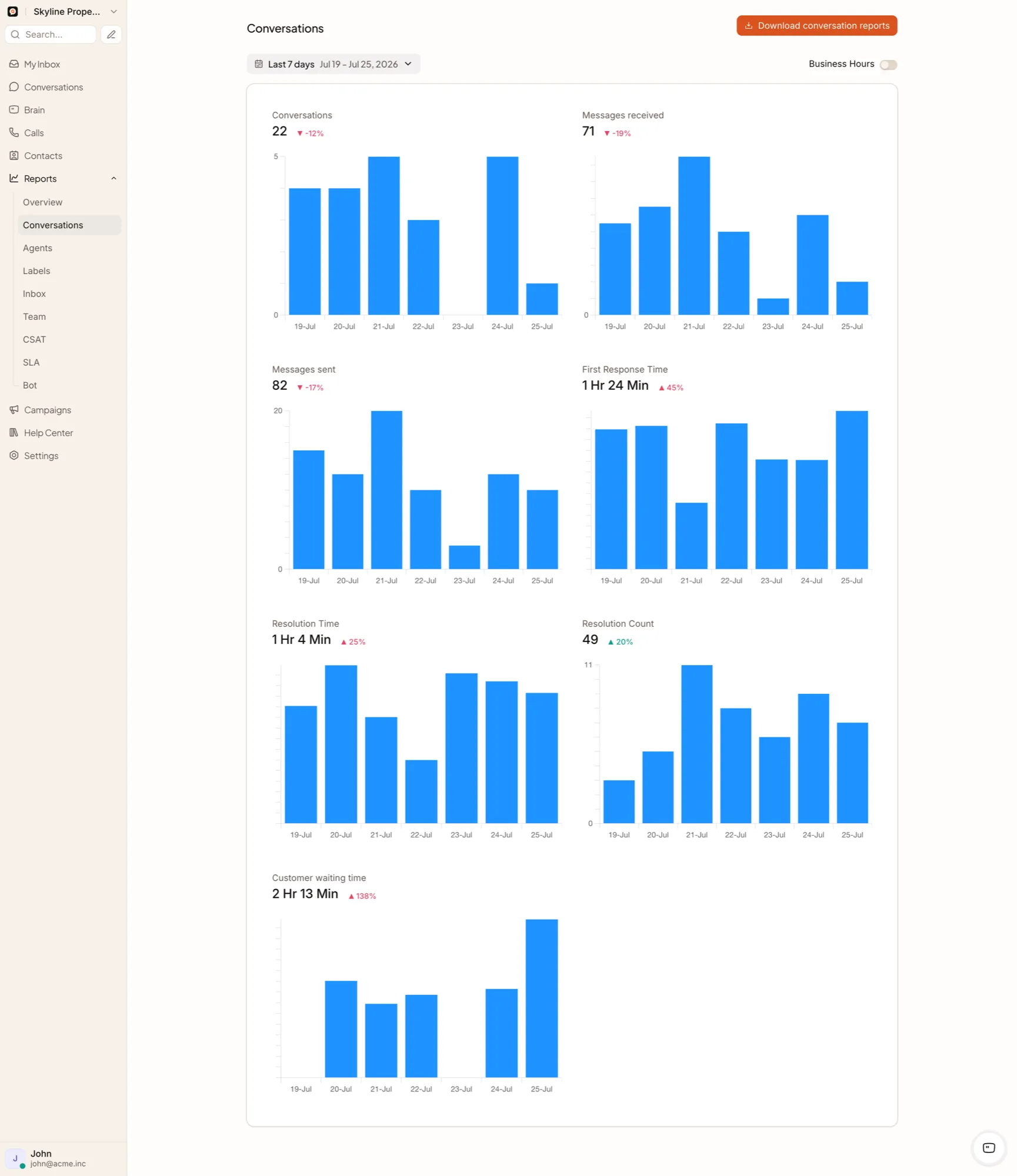
Conversation volume, open/pending/snoozed/resolved workload, first-response time, next-response time, resolution time and business-hours-aware calculations, down to individual conversation drill-down.
Team and agent reporting
Agent, team, inbox and label summaries covering workload and response patterns, exportable to CSV.
SLA
SLA policy reporting with breach information and business-hours-aware targets.
Customer satisfaction
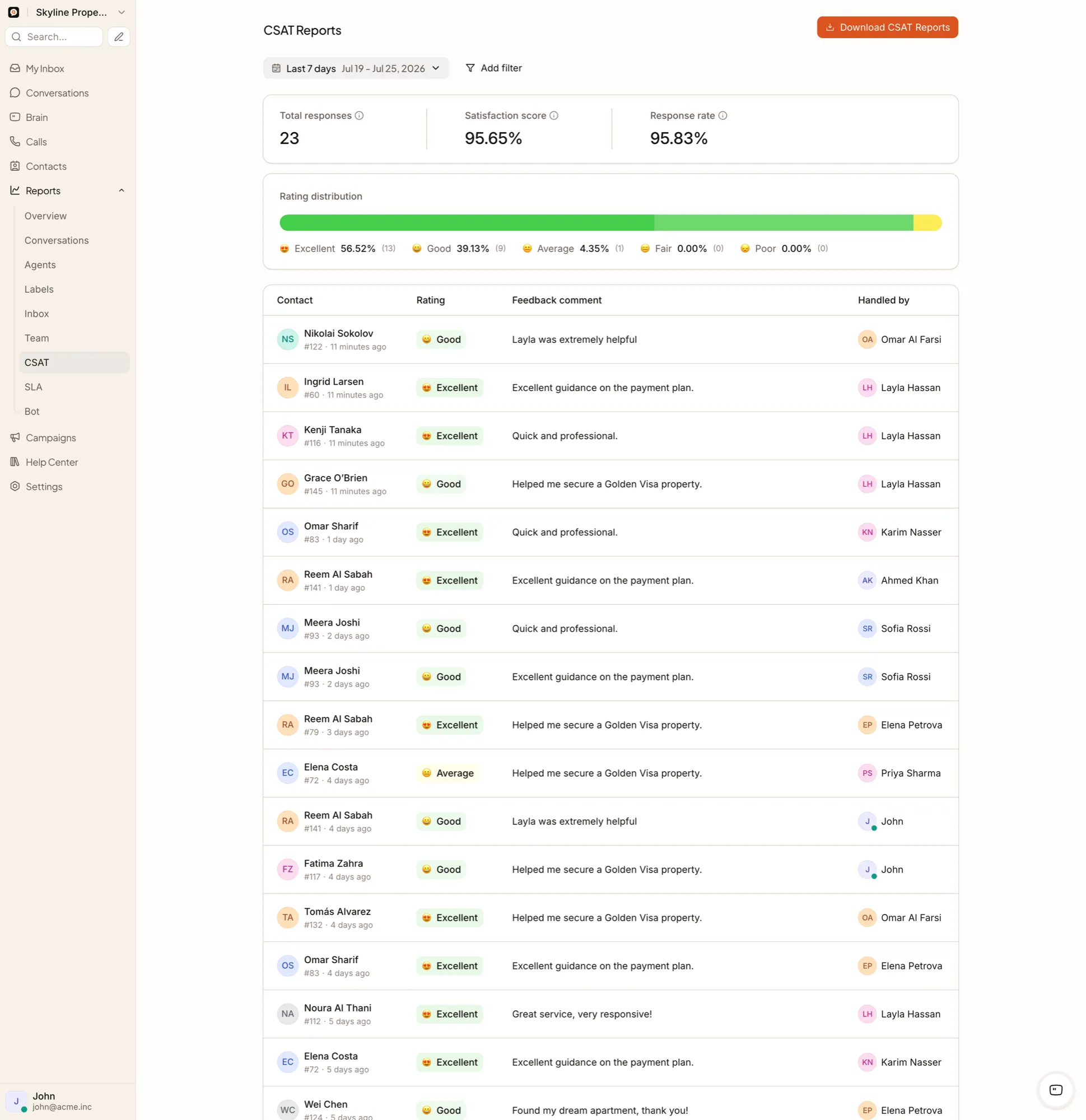
A fixed 1–5 CSAT score with customer comment, emoji or star display and CSV export.
Bot and Brain
Bot reports, a Brain overview, and V2 agent-session detail for individual Brain responses.
Conversation and satisfaction reporting
Where managers look first
A manager's overview leads with these four numbers, alongside a queue-and-response trend and team load by team.
Each metric drills down into the underlying conversations, so a manager can move from a number to the exact conversations behind it — delayed first responses, reopened conversations, SLA breaches or low CSAT.
QualiBot reports on the conversation and service operations around every interaction — response time, workload, SLA and CSAT. Revenue and sales-conversion attribution run through your CRM and analytics implementation.
Analytics reads from the same conversations, automation rules and Brain sessions covered elsewhere on the platform.
What the numbers cover
Is the overview dashboard real time?
It polls live metrics approximately every 60 seconds, keeping the numbers close to real time without a continuous push stream.
Can we export reports?
Yes. Supported reports can be exported to CSV.
Can managers open the conversations behind a number?
Yes. Admin drill-down is available for supported report metrics.
Does QualiBot calculate revenue generated by Brain?
Revenue and conversion attribution run through your CRM and analytics implementation. QualiBot reports on the conversation and service metrics around each interaction.
Can CSAT trigger an automatic escalation?
Automation conditions today cover status, priority, labels, and contact or conversation attributes. CSAT-based triggers are on the roadmap; until then, export CSAT results and combine them with status, label or priority-based rules to route follow-up.
Turn conversation activity into operational decisions
See how managers can identify response pressure, team workload, service risk and AI handoff patterns.